FileZilla
Data Transfer using FileZilla with 2FA
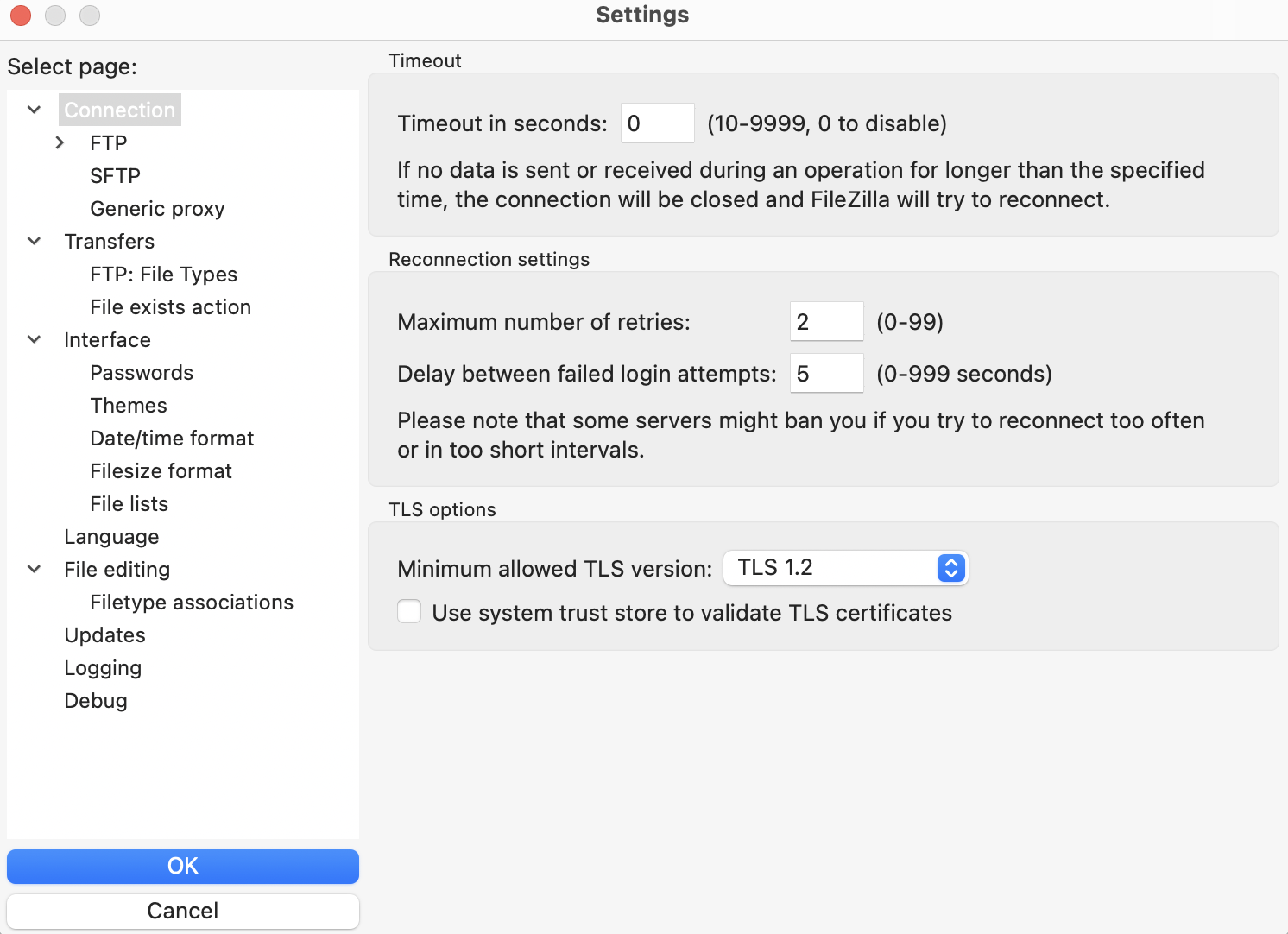
With the FileZilla global settings (Edit -> Setttings),
- In
Connectionmenu, make sure to setTimeout in secondsvalue to0, it will not close and recreate idle sessions.
Then, when editing and connecting a new site for SFTP (File -> Site Manager -> New site),
- In
Generaltab, select SFTP as Protocol and entertem-dm-al9.sdfarm.krdata transfer server as Host and Port number. - In
Generaltab, choose the Logon Typeinteractive, and with this setting, it will ask you for your password and OTP. - In
Transfer Settingstab, also make sure to checkLimit number of simultaneous connectionsand leave the default value of 1.
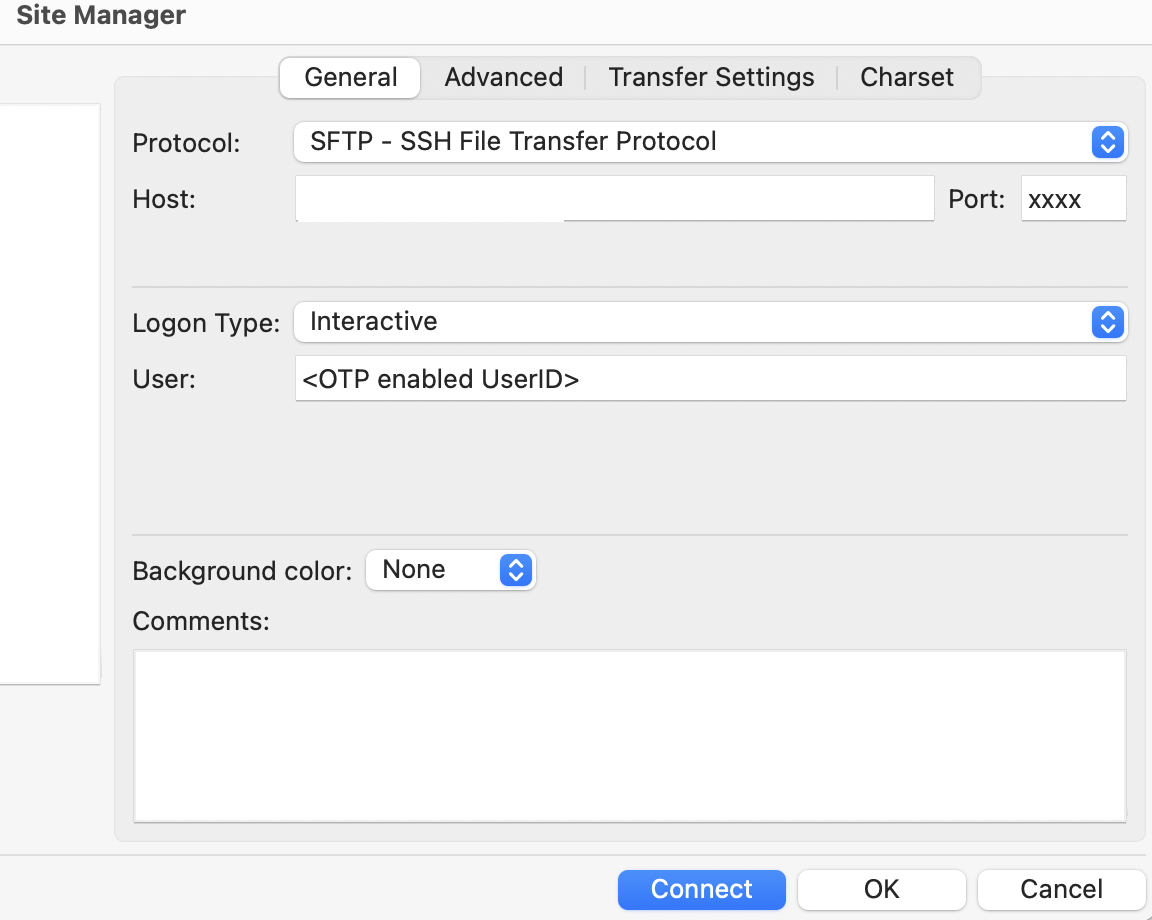
New site -> General
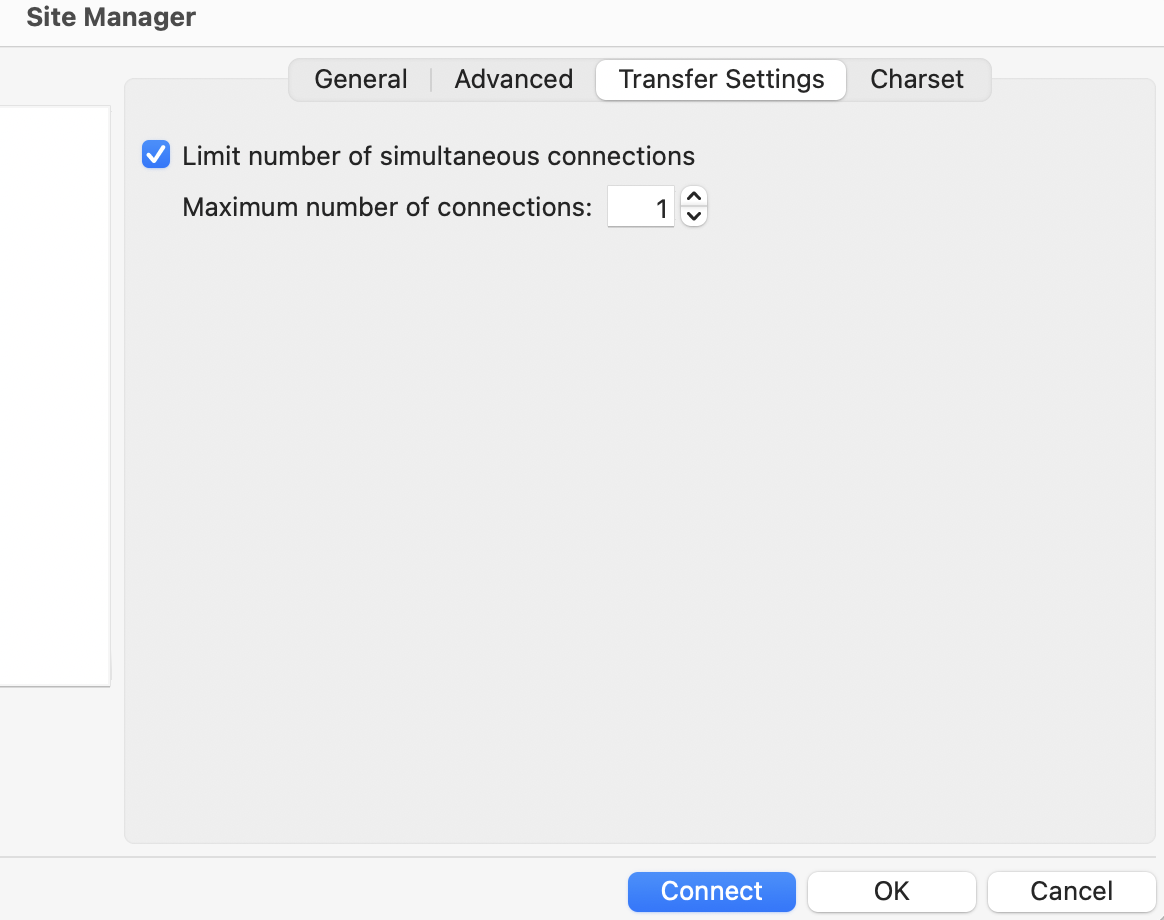
New site -> Transfer Settings